

Build a brand style guide generator that automatically extracts colors, typography, spacing, and visual identity from any website and compiles it into a professional PDF document.
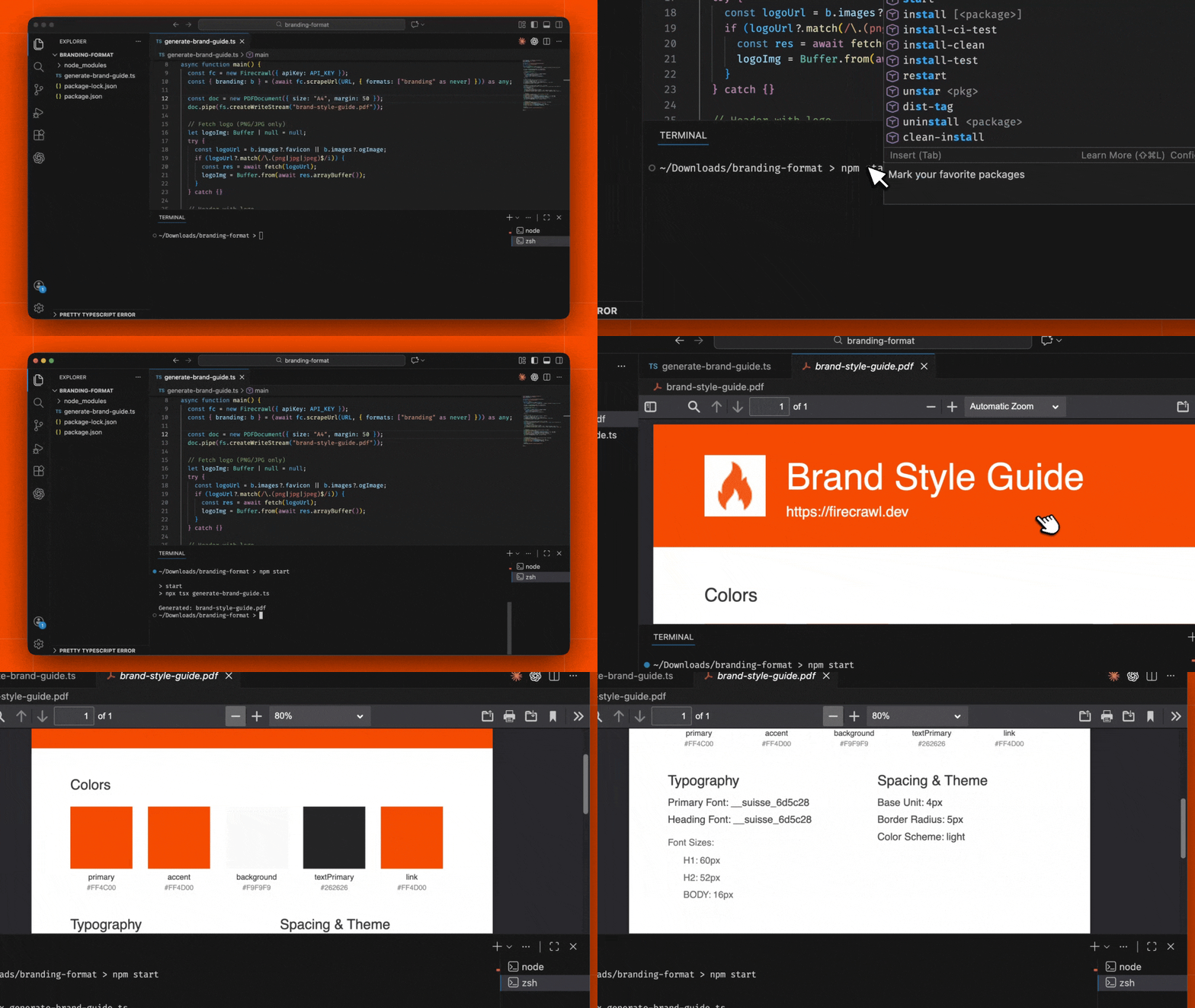
What You'll Build#
A Node.js application that takes any website URL, extracts its complete brand identity using Firecrawl's branding format, and generates a polished PDF style guide with:
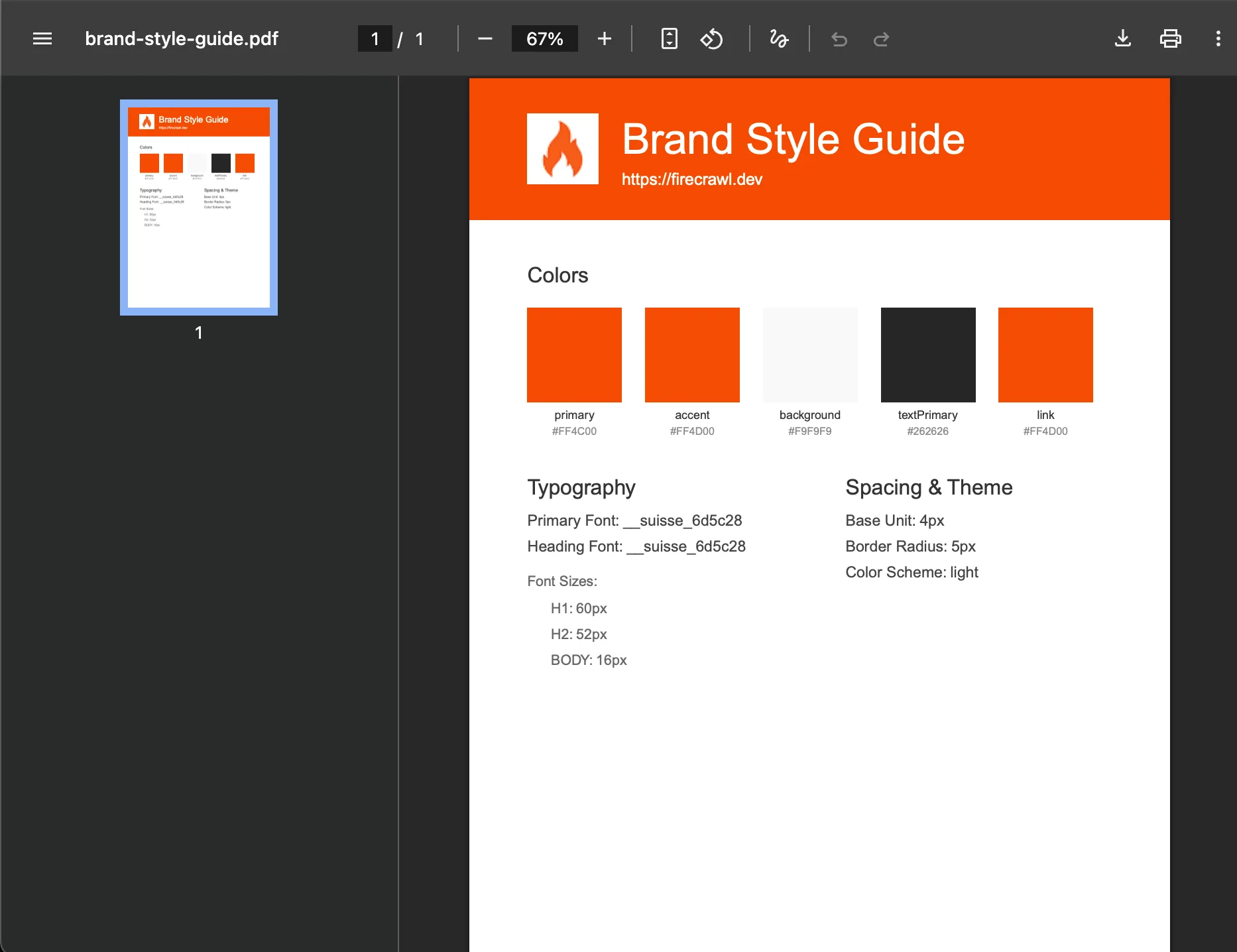
- Color palette with hex values
- Typography system (fonts, sizes, weights)
- Spacing and layout specifications
- Logo and brand imagery
- Theme information (light/dark mode)
Prerequisites#
- Node.js 18 or later installed
- A Firecrawl API key from firecrawl.dev
- Basic knowledge of TypeScript and Node.js
Create a New Node.js Project
Start by creating a new directory for your project and initializing it:
Update your package.json to use ES modules:
Install Dependencies
Install the required packages for web scraping and PDF generation:
These packages provide:
firecrawl: Firecrawl SDK for extracting brand identity from websitespdfkit: PDF document generation librarytsx: TypeScript execution for Node.js
Build the Brand Style Guide Generator
Create the main application file at index.ts. This script extracts brand identity from a URL and generates a professional PDF style guide.
For this simple project, the API key is placed directly in the code. If you plan to push this to GitHub or share it with others, move the key to a .env file and use process.env.FIRECRAWL_API_KEY instead.
Replace fc-YOUR-API-KEY with your Firecrawl API key from firecrawl.dev.
Understanding the Code#
Key Components:
- Firecrawl Branding Format: The
brandingformat extracts comprehensive brand identity including colors, typography, spacing, and images - PDFKit Document: Creates a professional A4 PDF with proper margins and sections
- Color Swatches: Renders visual color blocks with hex values and semantic names
- Typography Display: Shows font families and sizes in an organized layout
- Spacing & Theme: Documents the design system's spacing units and color scheme
Run the Generator
Run the script to generate a brand style guide:
The script will:
- Extract the brand identity from the target URL using Firecrawl's branding format
- Generate a PDF named
brand-style-guide.pdf - Save it in your project directory
To generate a style guide for a different website, simply change the URL constant in index.ts.
How It Works#
Extraction Process#
- URL Input: The generator receives a target website URL
- Firecrawl Scrape: Calls the
/scrapeendpoint with thebrandingformat - Brand Analysis: Firecrawl analyzes the page's CSS, fonts, and visual elements
- Data Return: Returns a structured
BrandingProfileobject with all design tokens
PDF Generation Process#
- Header Creation: Generates a colored header using the primary brand color
- Logo Fetch: Downloads and embeds the logo or favicon if available
- Color Palette: Renders each color as a visual swatch with metadata
- Typography Section: Documents font families, sizes, and weights
- Spacing Info: Includes base units, border radius, and theme mode
Branding Profile Structure#
The branding format returns detailed brand information:
Key Features#
Automatic Color Extraction#
The generator identifies and categorizes all brand colors:
- Primary & Secondary: Main brand colors
- Accent: Highlight and CTA colors
- Background & Text: UI foundation colors
- Semantic Colors: Success, warning, error states
Typography Documentation#
Captures the complete type system:
- Font Families: Primary, heading, and monospace fonts
- Size Scale: All heading and body text sizes
- Font Weights: Available weight variations
Visual Output#
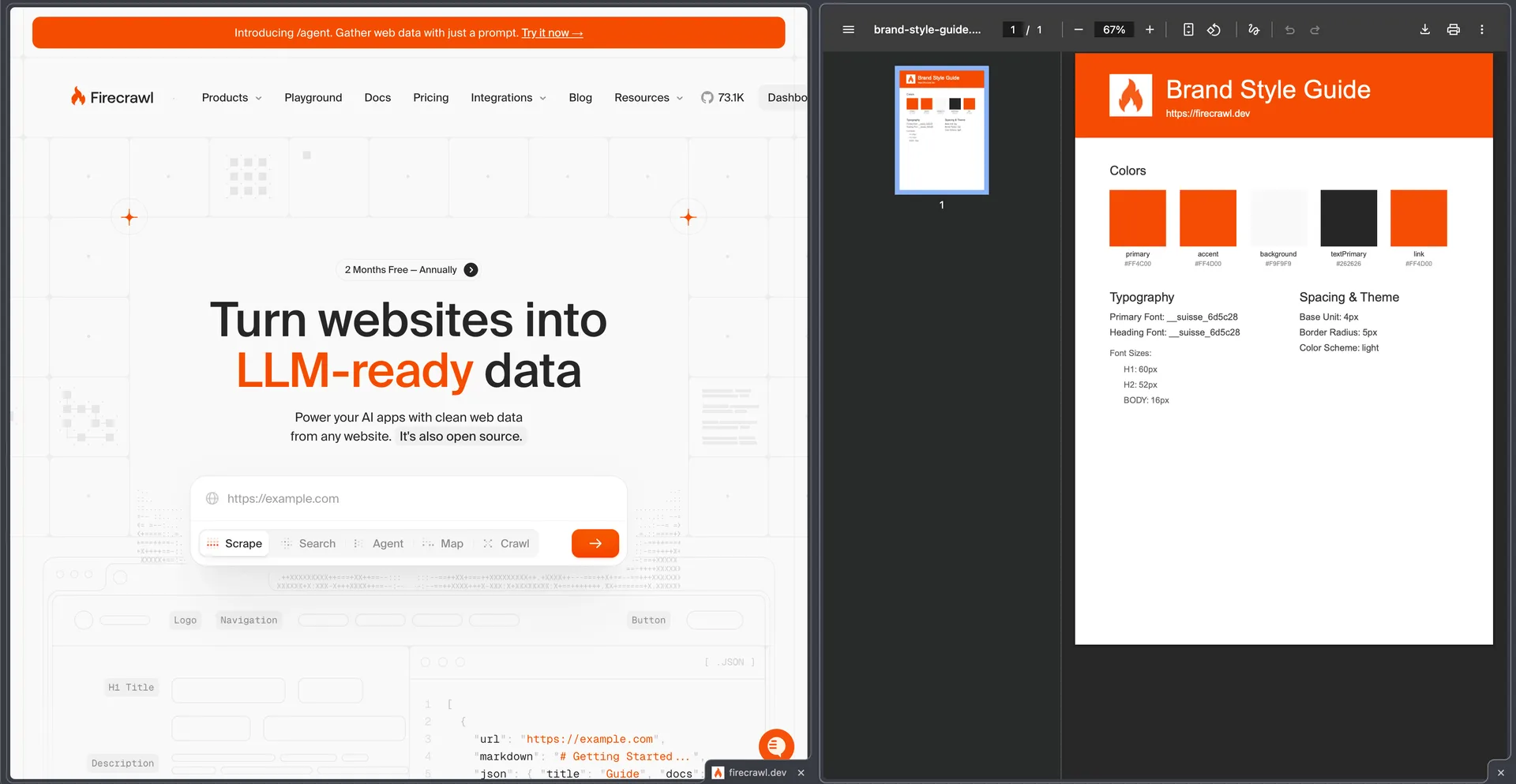
The PDF includes:
- Color-coded header matching the brand
- Embedded logo when available
- Professional layout with clear hierarchy
- Metadata footer with generation date
Customization Ideas#
Add Component Documentation#
Extend the generator to include UI component styles:
Export Multiple Formats#
Add JSON export alongside the PDF:
Batch Processing#
Generate guides for multiple websites:
Custom PDF Themes#
Create different PDF styles based on the extracted theme:
Best Practices#
-
Handle Missing Data: Not all websites expose complete branding information. Always provide fallback values for missing properties.
-
Respect Rate Limits: When batch processing multiple sites, add delays between requests to respect Firecrawl's rate limits.
-
Cache Results: Store extracted branding data to avoid repeated API calls for the same site.
-
Image Format Handling: Some logos may be in formats PDFKit doesn't support (like SVG). Consider adding format conversion or graceful fallbacks.
-
Error Handling: Wrap the generation process in try-catch blocks and provide meaningful error messages.
Related Resources#
Learn more about the branding format and all available properties you can extract.
Complete API reference for the scrape endpoint with all format options.
Learn more about PDFKit for advanced PDF customization options.
Process multiple URLs efficiently with batch scraping.