

Choose open source when you need source or infrastructure control. Choose Firecrawl Cloud when you want to start scraping without operating the stack. Both paths expose Firecrawl's core APIs; the difference is who configures, secures, and runs the supporting services.
Running Firecrawl for product development and operating a self-hosted deployment are different jobs. Use Contributor Setup when you are changing Firecrawl code. Use the self-hosting guide when you want an API running on infrastructure you control.
Choose your Firecrawl deployment#
Use open source when#
- You need control over source or infrastructure. You can inspect the code, choose where the stack runs, and connect your own providers.
- You are prepared to operate it. Your team owns authentication, TLS, persistence, monitoring, capacity, upgrades, and recovery.
- You can add capabilities deliberately. Core scraping works in the default stack; LLM-backed formats, advanced scraping services, and specialized extraction paths need additional configuration.
Use Firecrawl Cloud when#
- You want the fastest supported path to production. Firecrawl operates the infrastructure and managed services.
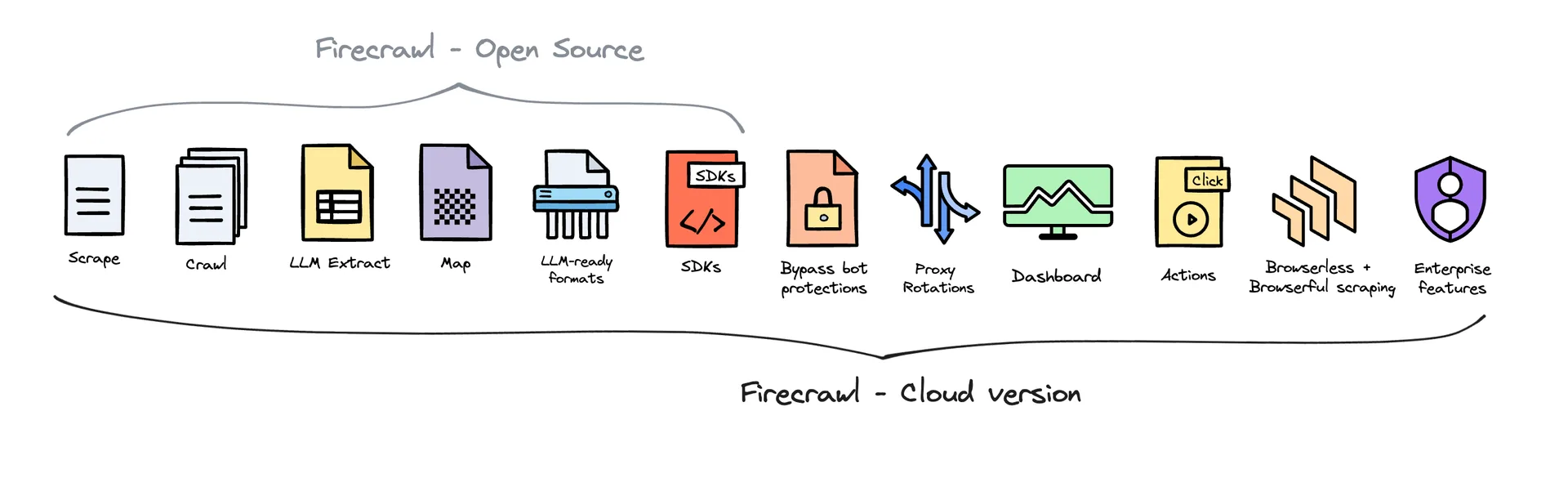
- You need Cloud-only product surfaces. Agent, Browser, managed dashboards, enhanced proxy paths, and enterprise controls are delivered through Cloud.
- You want one account for usage and support. API keys, credits, limits, and operational support stay in the managed service.
Our recommendation: start with Firecrawl Cloud unless source access or infrastructure control is worth the operational work. If you self-host, prove one scrape first and add services only when your use case requires them.
Compare the operating model#
| Decision | Open source | Firecrawl Cloud |
|---|---|---|
| Core scrape, crawl, map, and search APIs | Included | Included and managed |
| Fetch and Playwright processing | Included in the default stack | Managed |
| LLM-backed extraction and formats | Connect an OpenAI-compatible provider or Ollama | Managed provider path |
| Advanced anti-bot or specialized extraction services | Run and configure the required service separately | Managed where the Cloud product supports it |
| Agent, Browser, Interact, dashboard, and enterprise controls | Not included in the default stack | Included by product and plan availability |
| Security, persistence, availability, and upgrades | You own them | Firecrawl operates them |
| Usage, limits, and billing | Your infrastructure and provider costs | Firecrawl plan and credit model |
Start with the path you chose#
- Self-host Firecrawl: follow the Docker Compose self-hosting guide from a pinned release to one verified scrape.
- Change Firecrawl code: use Contributor Setup for the development environment.
- Use Firecrawl Cloud: create an account and follow the quickstart.
Open source keeps the core engine inspectable and adaptable. Firecrawl Cloud funds that work while giving builders a managed path with additional product and infrastructure capabilities.